
STAGE 01
Connect
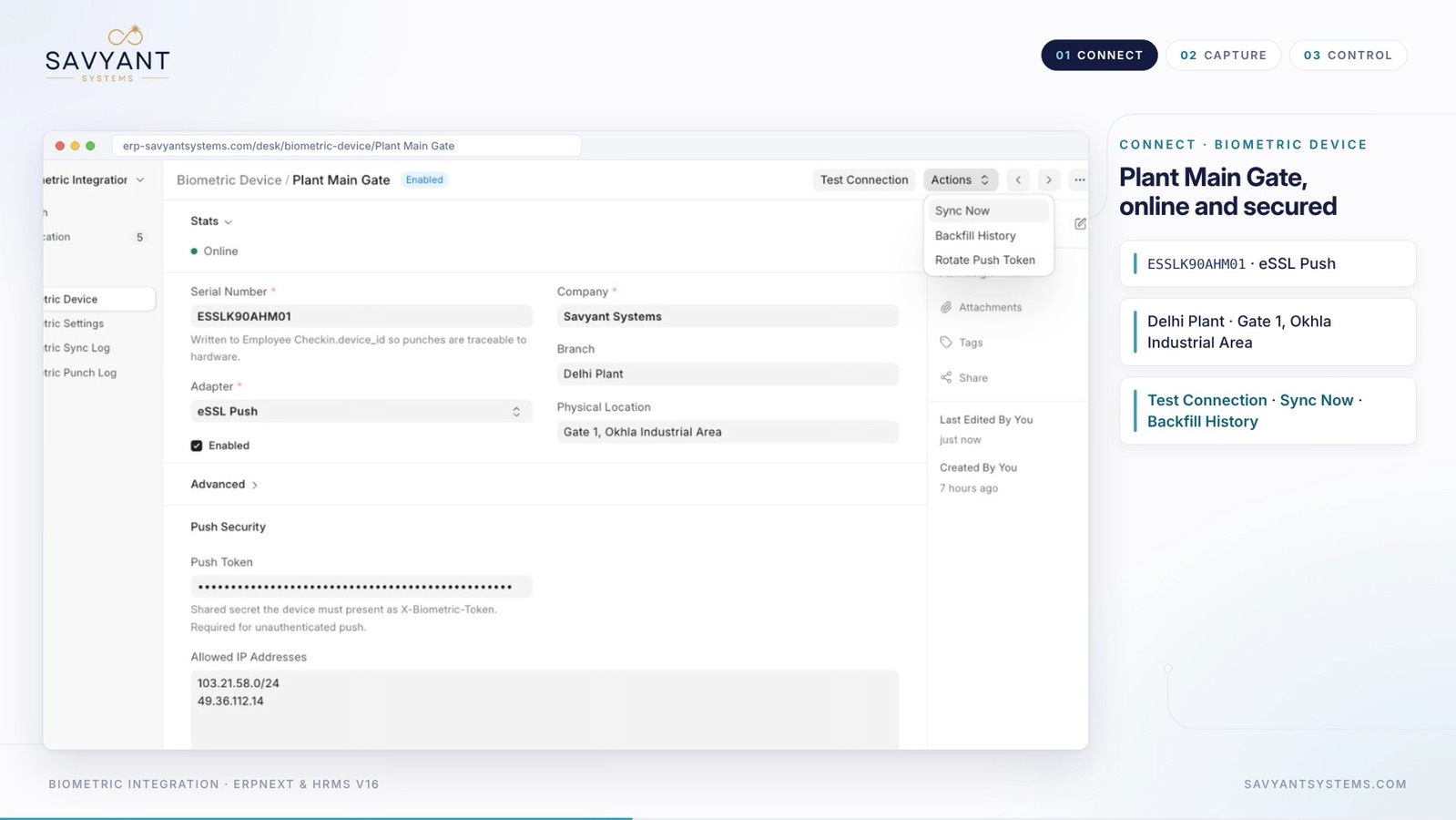
Biometric Device
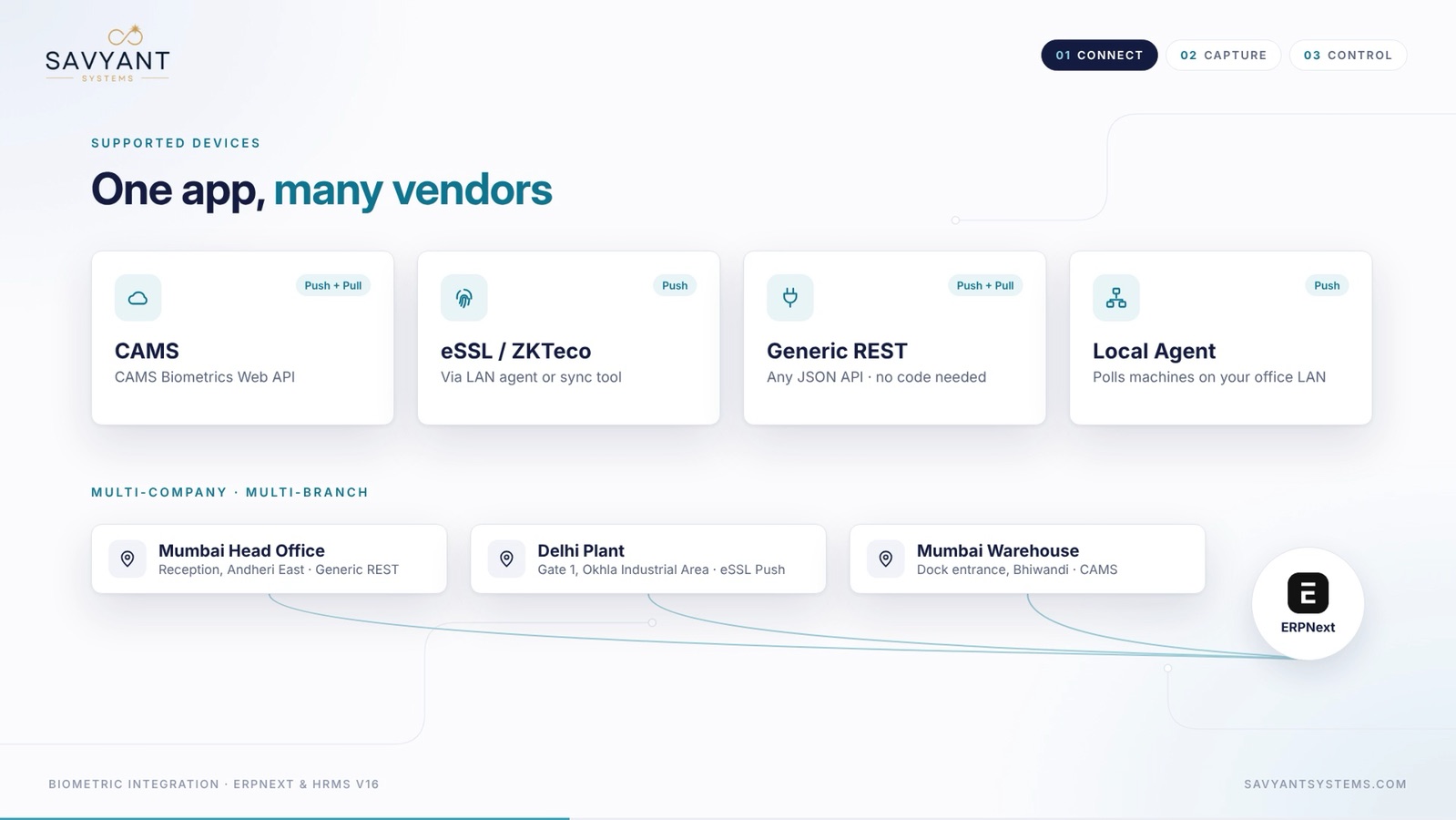
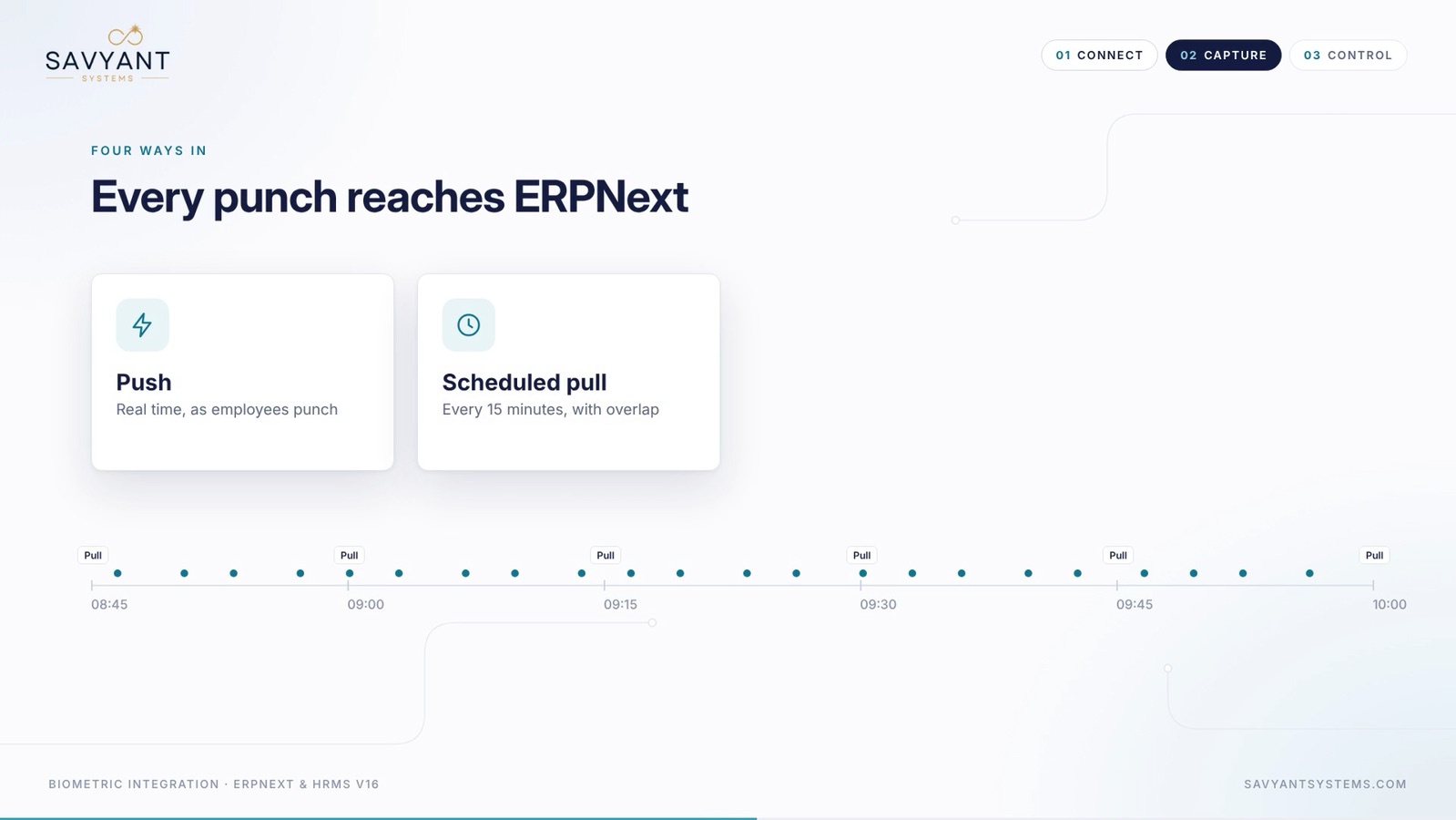
- Add a Biometric Device and choose its adapter: CAMS, eSSL Push, Generic REST or Local Agent
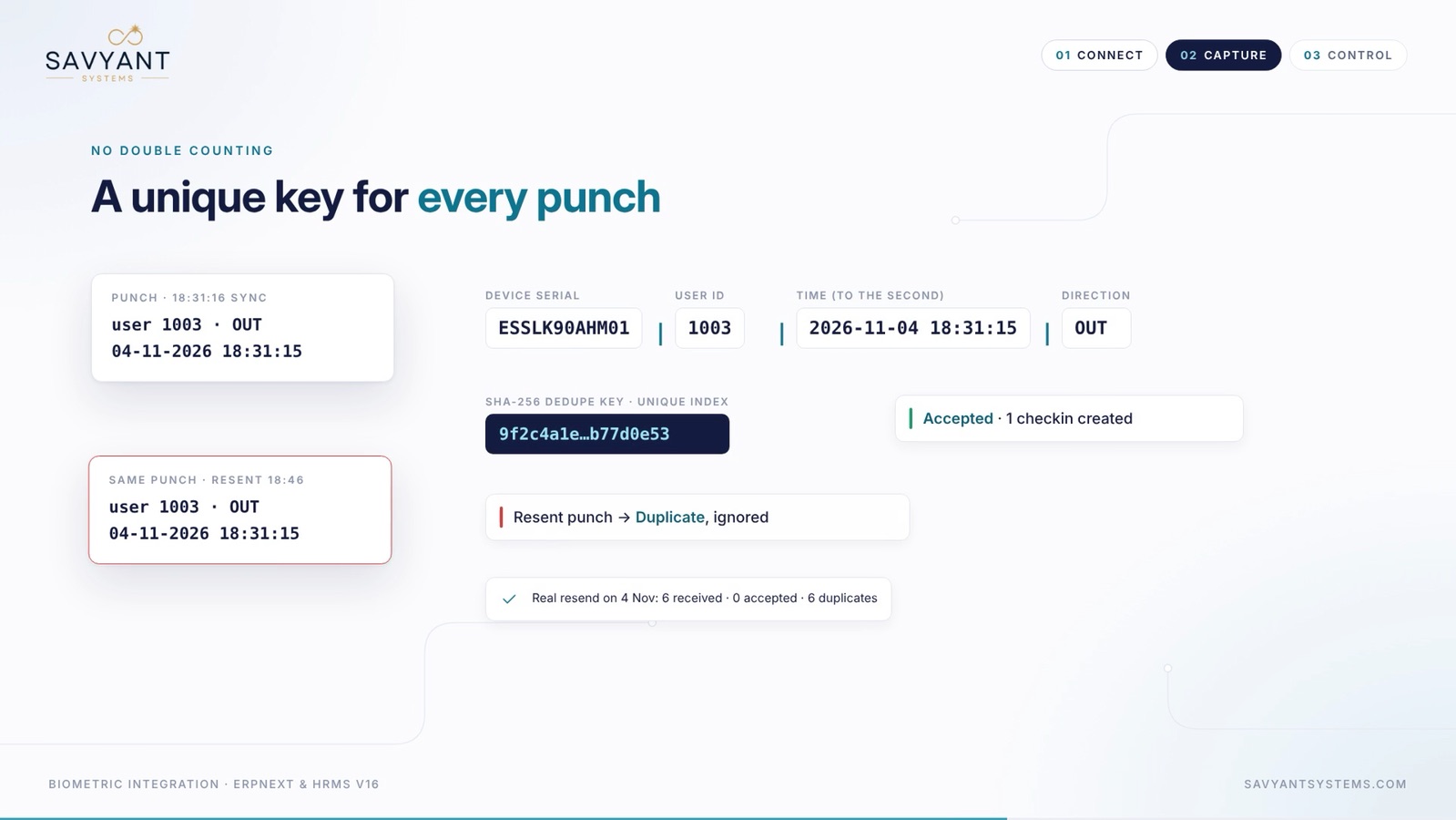
- Enter the device serial number. It is written to every Employee Checkin so punches stay traceable to hardware
- Set the company, branch and physical location of the device
- For push devices, set a Push Token and the allowed IP addresses
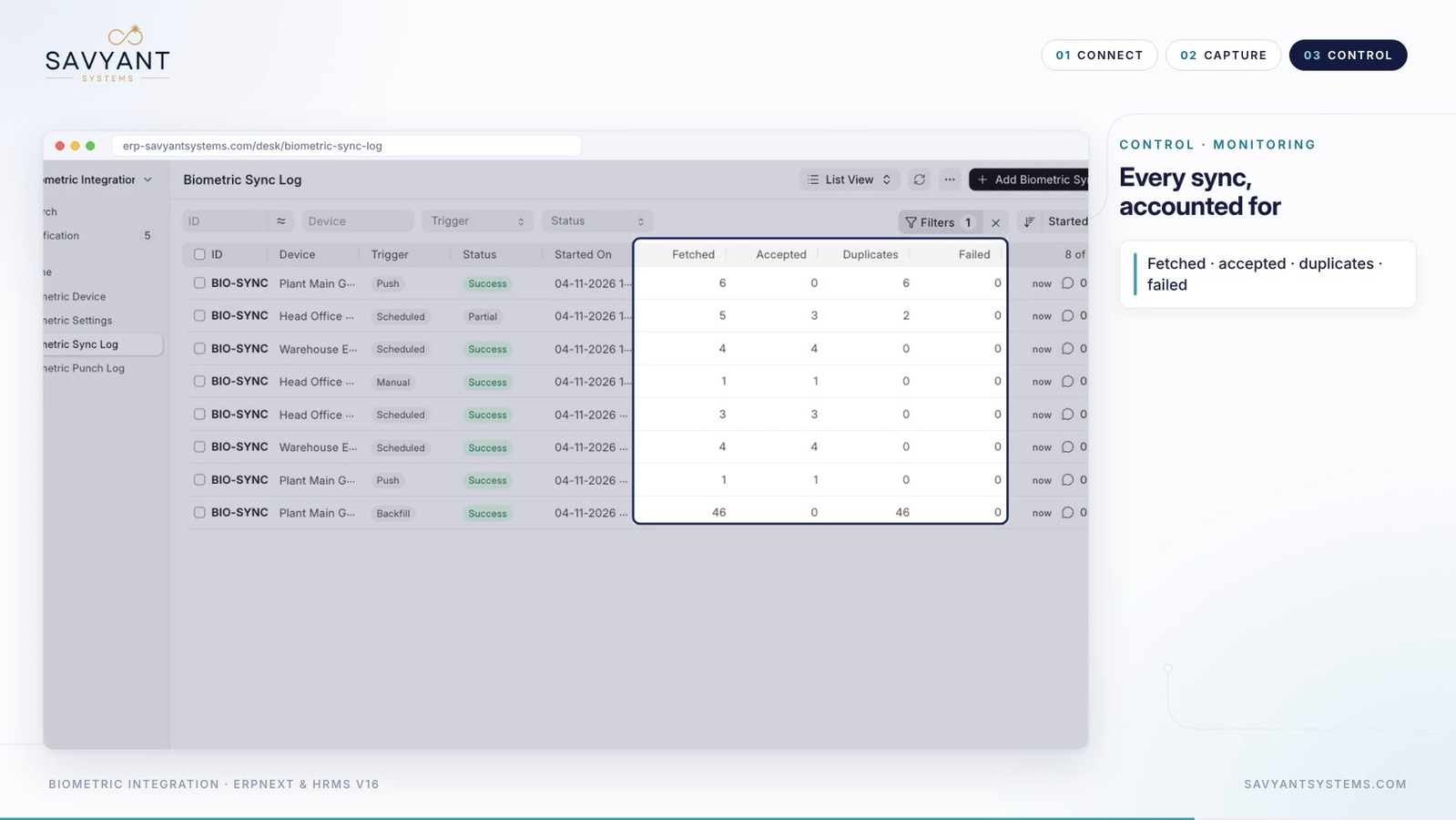
- Use Test Connection, then Sync Now, Backfill History or Rotate Push Token from the Actions menu
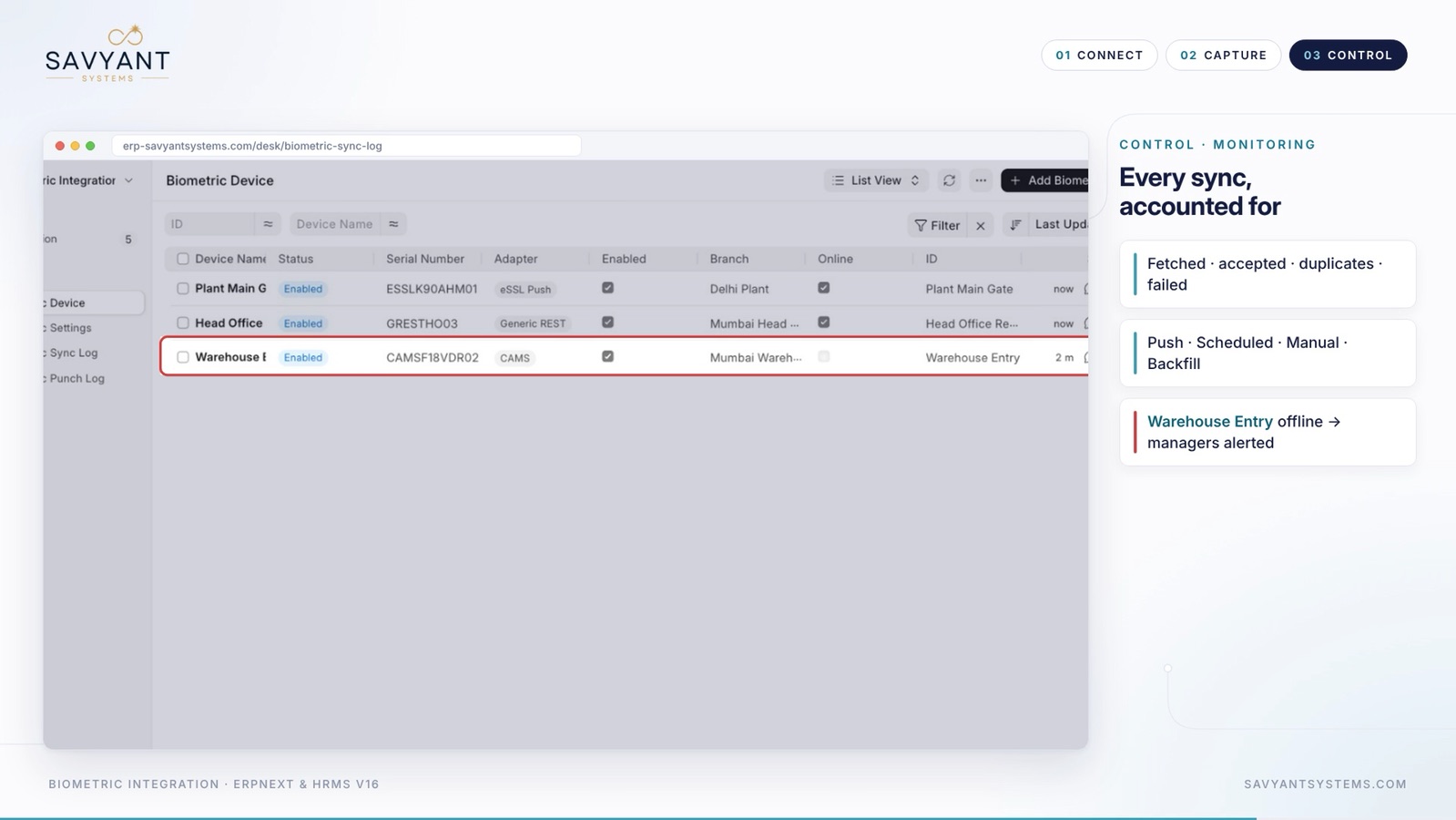
In the demo, three devices at three branches were connected, each with a different adapter.