
STAGE 01
Connect
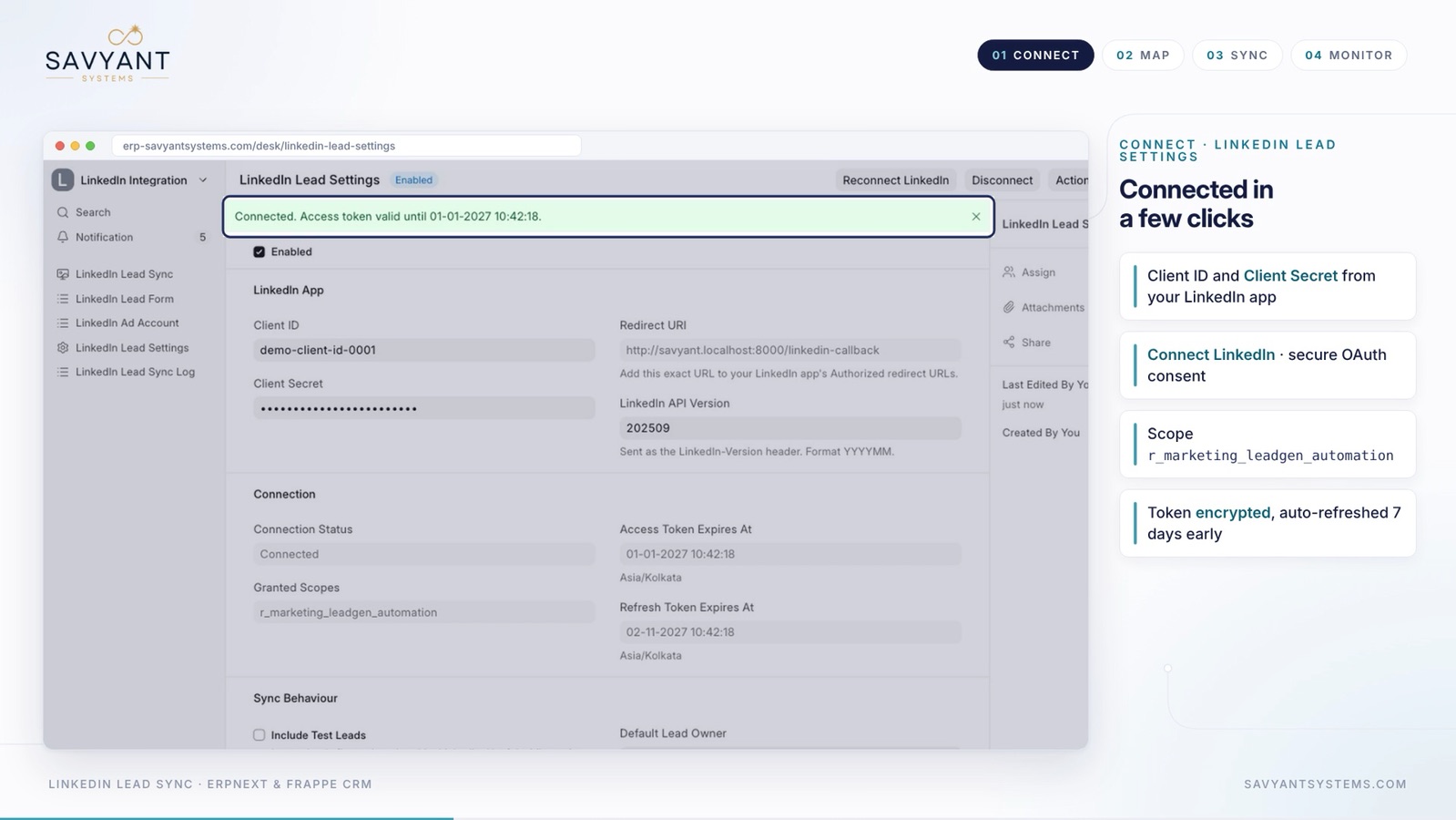
LinkedIn Lead Settings
- Enter the Client ID and Client Secret from your LinkedIn app
- Add the Redirect URI shown in ERPNext to your LinkedIn app's authorized redirect URLs
- Click Connect LinkedIn and approve the secure OAuth consent. The scope used is r_marketing_leadgen_automation
- Tokens are encrypted and refreshed automatically, seven days before they expire
- Choose a default lead owner, and whether test leads are included
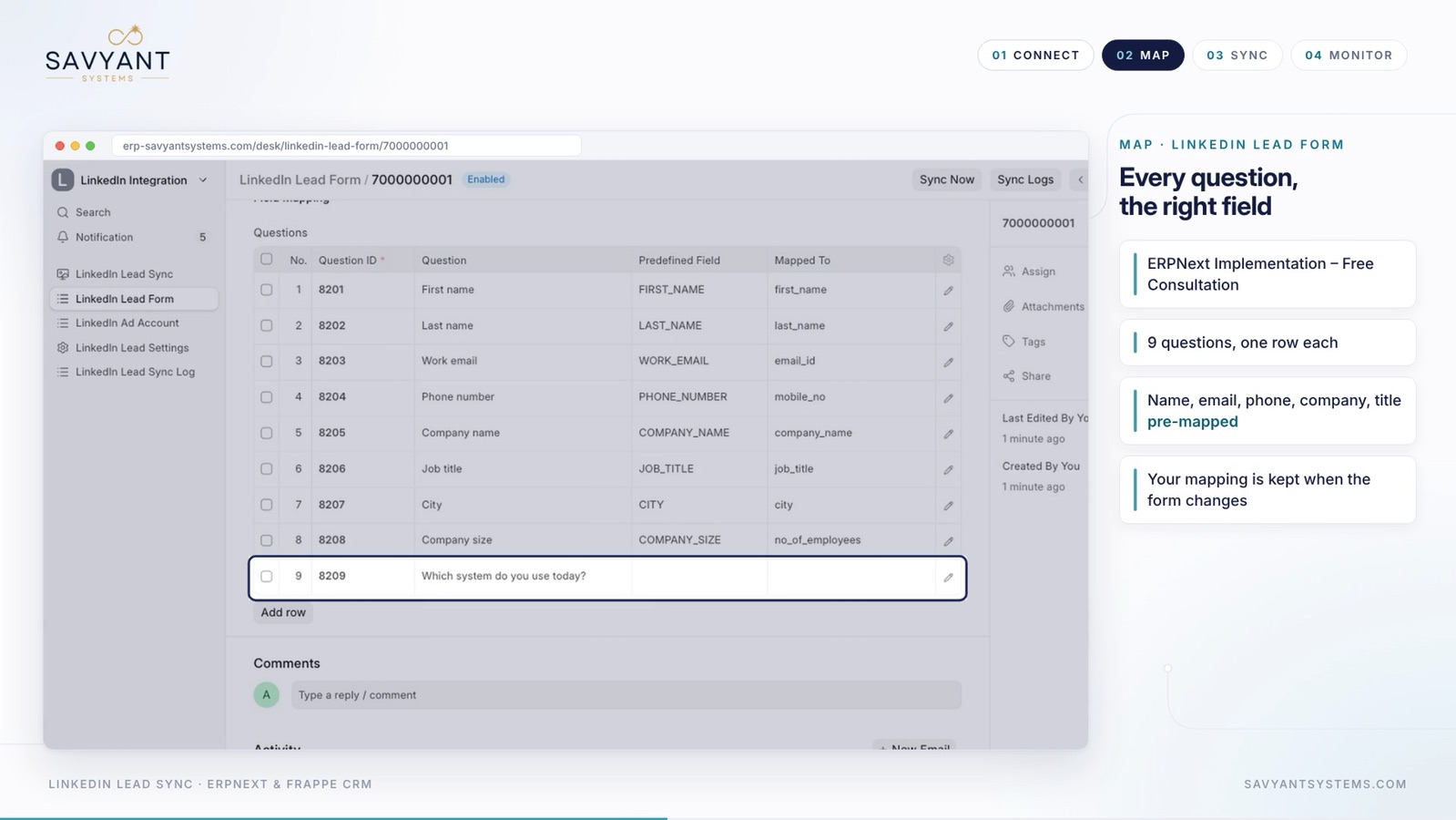
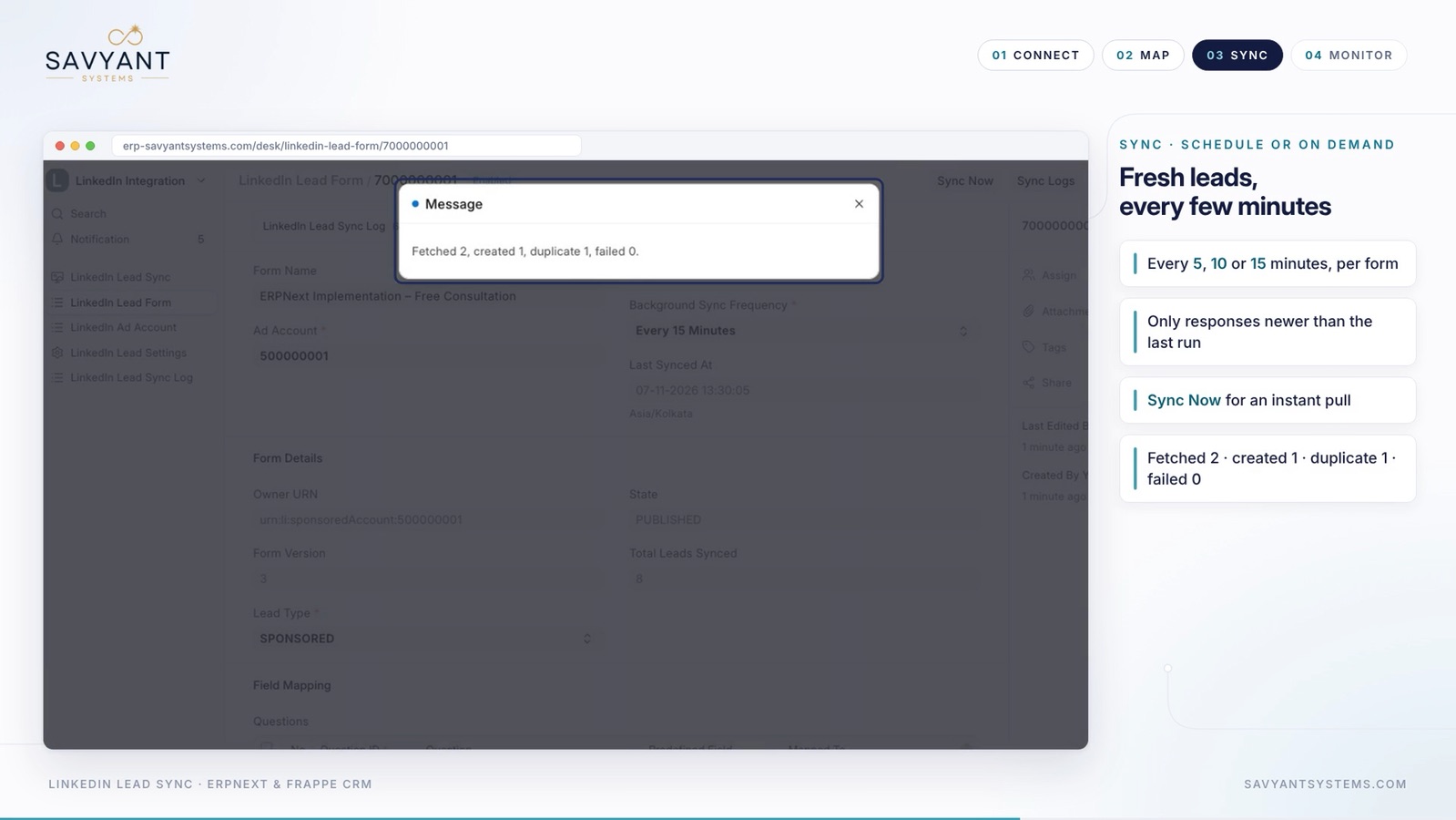
- Use Fetch Ad Accounts, then Fetch Lead Forms, to import every ad account and form
In the demo, the connection showed as Connected, and two live forms (Free Consultation and Manufacturing Demo) were imported from one ad account.